Comments
Comments are the conversation about a card, kept on the card. The reason a due date moved or a decision went the way it did belongs where the work is, not in a chat channel where it scrolls away by Thursday.
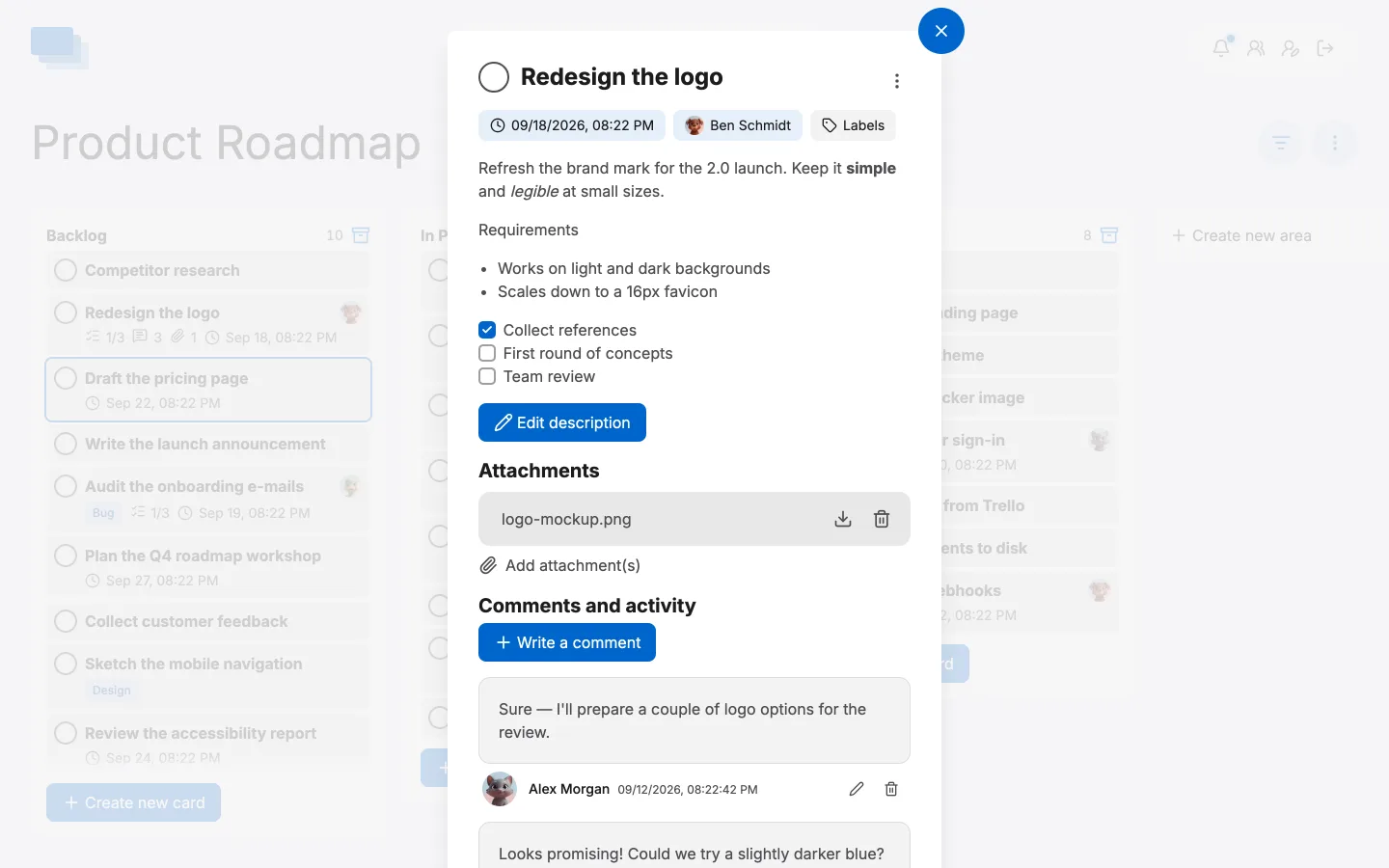
Writing one
Open a card, scroll to Comments and activity, click Write a comment, type and post it. The comment appears immediately for everyone else looking at that card — no refresh.
Your own comments can be edited or deleted afterwards with the pencil and bin beside them.
What else appears there
The section is called Comments and activity because it holds both. Comments imported from another system keep the original author's name even though that person has no account here, so a Trello board that comes across brings its discussion with it rather than a wall of anonymous text.
Who finds out
Writing a comment notifies the people on that board: the bell in the header gets a dot, and the notification names the card so it is one click away. If they are not at their desk, the hourly e-mail digest carries it instead.
Agents comment too
An assistant working the board through the API or the MCP server writes comments like anyone else, and its account is marked with a bot icon. A card that was updated by an agent never looks like a colleague did it.